

Transcribe
Timed drafts in 99 languages, with language detection, speaker labels and word-level timing. Start from media or import SRT.
A Linearis-built workspace for broadcast and localisation teams. Transcribe, translate and refine subtitles, on its own or alongside your current tools.
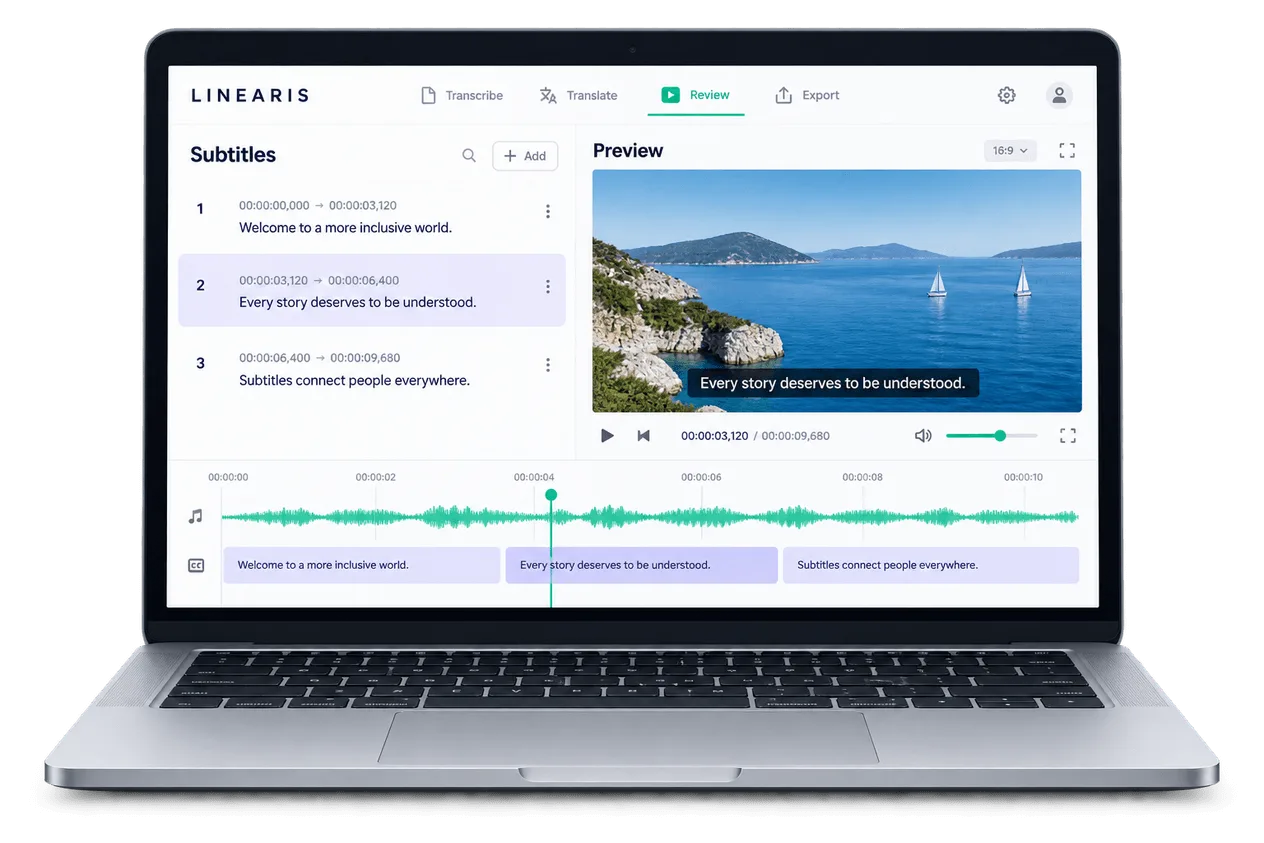
Less manual preparation. More time for language, timing and final review.
Timed drafts in 99 languages, with language detection, speaker labels and word-level timing. Start from media or import SRT.
Refine cues against the waveform. Drag cue edges and snap to neighbouring subtitles for precise timing.
Translate with 40-cue context and language versions. Keep terminology consistent with up to 100 shared terms.
Re-anchor cues after re-edits. Merge video and SRT files with automatic timecode offsets.
Run eight configurable checks for reading speed, length and overlaps. Correct one row or the whole file.
Keep language versions, vendor copies and history together. One active editor; colleagues follow live in read-only mode.
Transcribe, translate, time and review subtitles in one shared workspace. Your team approves the final version.
Export SRT, WebVTT or EBU STL. AI dubbing adds a spoken-language version.
Keep your current editor. Add transcription, translation or QA where you need it, then return compatible files to your workflow.
Import SRT; export SRT, WebVTT or EBU STL. Check format compatibility at each handover.
Compare the Linearis platform (clipsubs) with your current setup. Legacy capabilities vary by tool and version.
| Capability | SELF-MANAGEDLinearis platform | YOUR WORKFLOWCurrent tools |
|---|---|---|
| First draft | Linearis platformAI transcription, language detection and speaker labels. | Current toolsBuilt in, or a separate transcription tool? |
| Edit & resync | Linearis platformWaveform editing, AI resync and video/SRT merging. | Current toolsWhich timing and revision tasks stay manual? |
| Language & QA | Linearis platformContext-aware translation, shared terms and eight QA checks. | Current toolsCan you review language, timing and QA together? |
| Team & versions | Linearis platformShared projects, vendor copies and version history. | Current toolsHow do you assign work and track revisions? |
| AI voice | Linearis platformAI dubbing alongside your subtitle workflow. | Current toolsBuilt in, or another application? |
| File exchange | Linearis platformSRT import. SRT, WebVTT and EBU STL export. | Current toolsDo formats match your delivery workflow? |
Start with the files, people and handovers that make up your current workflow.
It can become your main workspace for transcription, subtitle editing, translation, QA and export. Check your required formats, languages and review process against the platform before moving the workflow.
Yes. Bring SRT files into the platform, use the steps you need, then export SRT, WebVTT or EBU STL for the next stage. Confirm file compatibility at each handover; direct integrations depend on the systems involved.
Your team refines language and timing, maintains terminology, reviews QA warnings and approves the final version. AI provides a starting point and assistance, while expert review remains part of the workflow.
Assign a language version to a vendor in the shared organisation workflow. The vendor gets a working copy. One person edits a file at a time, while others can follow live in read-only mode.
Uploaded video is retained for 30 days and then deleted automatically. Subtitles, versions and project history remain. Video storage can be extended when needed.
The public product information lists 99 languages for transcription and translation, automatic source-language detection, SRT import, and SRT, WebVTT and EBU STL export. Check the language and voice requirements for your project during a walkthrough.